
In an age where secure communication is essential, SSL certificates have become a non-negotiable part of running websites and networked devices. They protect data, establish trust, and are often required for compliance. For many of us running small networks or self-hosted services, managing these certificates can range from mildly inconvenient to downright frustrating.
This frustration is exactly what led me to create GPROX.
Why SSL Matters
SSL (Secure Sockets Layer), or more accurately its successor TLS (Transport Layer Security), ensures that the data sent between a client (like your browser) and a server is encrypted and secure. When you see a padlock in your browser’s address bar, that’s SSL at work.
For home or small office networks, SSL is more than just nice to have—it’s a necessity. Whether you’re managing a Synology NAS, hosting personal services, or simply securing administrative tools, SSL keeps your data safe from prying eyes. But achieving this level of security isn’t always straightforward.
The Problem with Synology and ACME Challenges
Synology NAS devices are fantastic for many things, but they come with some limitations. While Synology offers built-in SSL certificate management, its implementation doesn’t support DNS-based ACME challenges. This is a problem for users like me who rely on DNS challenges to automate certificate issuance for domains hosted on Google Cloud DNS.
DNS challenges are especially useful because they allow you to validate domain ownership without exposing servers to the internet. For Synology users, though, working around this limitation often involves clunky scripts or workarounds that feel more like hacks than solutions.
Why I Built GPROX
Faced with this limitation, I decided to take matters into my own hands. I knew I needed:
- A tool to automate DNS challenges with Google Cloud DNS.
- Something lightweight, portable, and easy to integrate into my network.
- A solution that I could trust and understand because I built it myself.
Armed with some basic programming skills and a good grasp of Docker, I decided to tackle the problem. But here’s the kicker: I didn’t do it alone.
Empowered by AI
As an amateur programmer, building something like GPROX from scratch might have taken weeks or even months of trial and error. But with the help of AI, specifically tools like OpenAI’s ChatGPT, the process became both faster and more manageable.
- Brainstorming Ideas: I leaned on AI to sketch out the architecture of the solution.
- Writing Code: From the Flask application that powers GPROX to the
acme.shintegration script, AI helped me write, debug, and optimize the code. - Debugging and Refining: Errors and edge cases that would have stumped me for hours were resolved quickly with AI’s assistance.
- Documentation: Creating clear instructions and examples was made simpler with AI-generated templates and suggestions.
What might have felt like an overwhelming project was suddenly doable in just about a day.
What GPROX Does
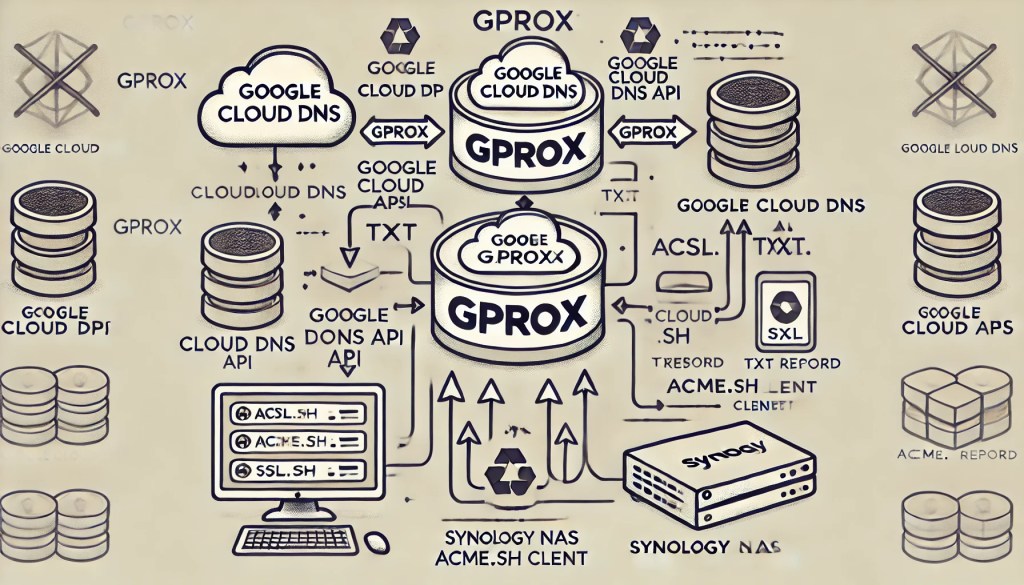
GPROX is a lightweight DNS proxy that acts as a bridge between Google Cloud DNS and acme.sh, a popular tool for managing SSL certificates. It automates the creation and deletion of DNS TXT records required for ACME challenges, enabling seamless SSL certificate issuance.
For me, it was the missing piece that allowed my Synology NAS to securely validate my domains and automate SSL renewal.
AI as a Sidekick
This project isn’t just about solving a personal problem—it’s a testament to the power of AI as a tool for empowerment. I didn’t need to be an expert programmer to build GPROX. AI became a collaborator, guiding me through complex tasks and helping me turn a frustrating limitation into a functional solution.
As more of us turn to self-hosted solutions and manage our own networks, tools like AI are leveling the playing field, making it easier than ever for anyone to solve their own problems with custom software.
GPROX in Action
While GPROX is tailored to my specific network, it’s flexible enough to work in other setups. It’s available as an open-source project on GitHub and as a container on Docker Hub for anyone who might face similar challenges.
- GitHub: rioncm/gprox
- Docker Hub: rioncm/gprox
A Learning Experience
Building GPROX wasn’t just about solving a technical problem—it was about learning, experimenting, and pushing the boundaries of what I could accomplish with the tools available. It’s not perfect, and I’m sure it could be refined further, but it works. And for an amateur programmer like me, that’s an incredible feeling.
If there’s one thing this project taught me, it’s that technology—whether it’s AI or open-source tools—can be empowering. You don’t need to be an expert to create something meaningful. Sometimes, all it takes is a little curiosity, a willingness to learn, and the right sidekick.
GPROX was built for a specific need, but it’s also a reminder of what’s possible when you combine a problem, a plan, and a bit of AI magic.
 Blue Platypus
Leave a comment